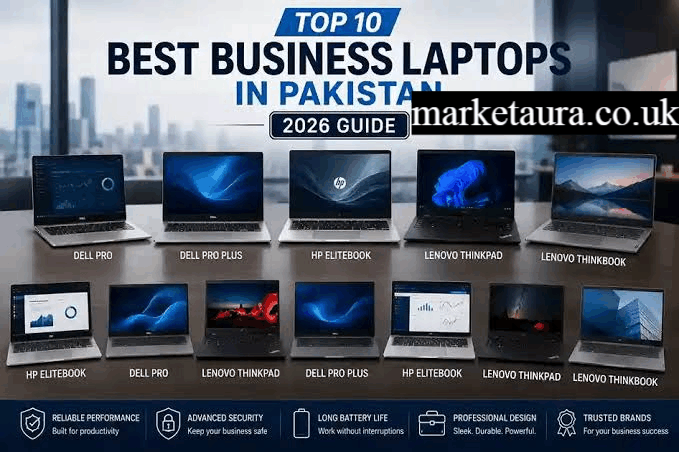
Choosing a laptop as a business owner is different from choosing one for basic home use. Your computer may handle email, accounting, spreadsheets, video meetings, presentations, customer relationship software, browser based tools, document management, and sometimes demanding creative applications.
The best laptop for business owners should therefore balance performance, reliability, battery life, portability, security, display quality, and connectivity. It should also remain useful as your business grows.
For most owners, a premium 14 inch Windows business laptop or a current MacBook Air is the sweet spot. A larger workstation makes more sense for demanding creative or technical work, while a budget model can be enough for email, documents, and cloud applications.
As of September 2026, current options include Apple’s MacBook Air with M5, new 2026 Lenovo ThinkPad models, and Dell’s updated Pro business range. Apple introduced the M5 MacBook Air with 512GB starting storage and configurations up to 4TB, while Lenovo expanded its 2026 ThinkPad portfolio with newer X13 and L Series systems.
What Is the Best Laptop for Business Owners?
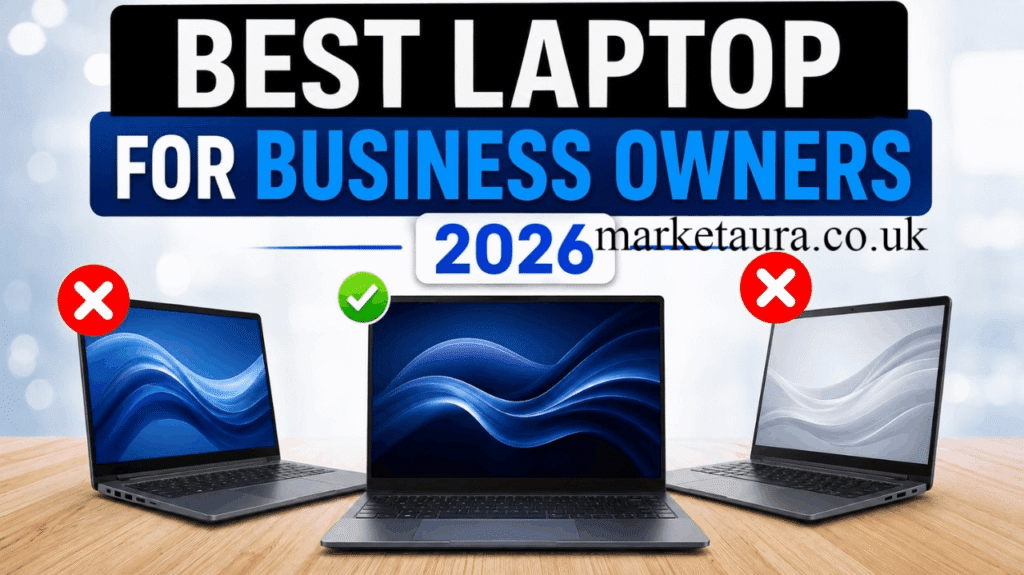
For most business owners, the best choice is a premium 13 to 14 inch laptop with at least 16GB of RAM, a fast SSD, strong battery life, a quality webcam, and reliable USB C connectivity.
Your ideal model depends on how you work:
| Business need | Best type of laptop |
|---|---|
| General business | Premium Windows laptop |
| Small business | Mid range business laptop |
| Frequent travel | Lightweight ultraportable |
| Apple ecosystem | MacBook Air |
| Heavy creative work | MacBook Pro or workstation |
| Accounting and spreadsheets | 14 to 16 inch business laptop |
| Tablet flexibility | 2 in 1 business laptop |
| Very tight budget | Budget business laptop |
There is no single laptop that is perfect for every owner. The right choice depends more on your workload than on the logo on the lid.
Best Overall: MacBook Air With M5
The MacBook Air with M5 is one of the strongest choices for entrepreneurs who want a thin, quiet, premium laptop that can handle everyday business work and creative tasks.
Apple introduced the M5 MacBook Air in March 2026. The updated model includes a faster processor and GPU architecture, expanded AI capabilities, 512GB of starting storage, and configurations reaching up to 4TB.
It is particularly attractive for business owners who regularly work with:
- Documents
- Spreadsheets
- Presentations
- Web applications
- Video calls
- Photo editing
- Marketing tools
- Content creation
The main limitation is connectivity. If your office setup requires several traditional peripherals, you may need a USB C hub or docking station.
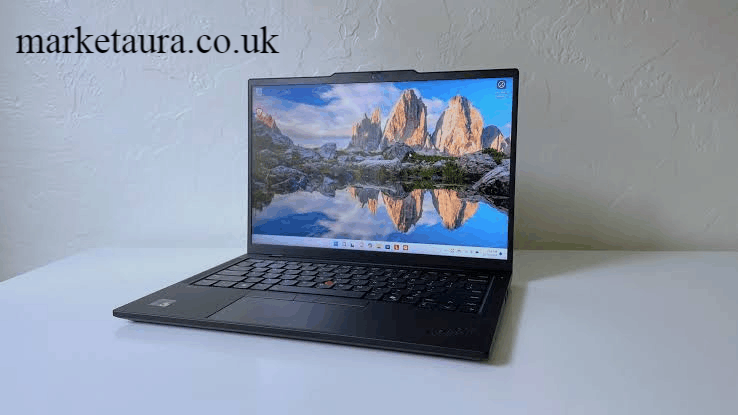
Best Windows Choice: Lenovo ThinkPad
For owners who prefer Windows, the Lenovo ThinkPad family remains one of the safest categories to consider.
ThinkPads are particularly attractive for professionals who prioritize a comfortable keyboard, business focused features, durability, and flexible configurations.
Lenovo’s 2026 ThinkPad expansion includes newer X13 and L Series models designed around mobility, performance, security, and enterprise management. Compatible configurations also support Windows 11 Pro and Copilot Plus PC experiences.
A ThinkPad is a particularly good fit if your business depends on Microsoft 365, Excel, Windows specific applications, accounting software, CRM platforms, or enterprise tools.
Best Business Laptop for Small Business Owners
Small business owners usually do not need an expensive workstation.
A good 14 inch business laptop with 16GB RAM and a 512GB SSD is a sensible starting point for most entrepreneurs. It provides enough headroom for multitasking without paying for hardware you may never use.
Look for:
- Intel Core or AMD Ryzen class processors
- 16GB RAM
- 512GB SSD
- Full HD or better display
- USB C charging
- HDMI when possible
- Good webcam
- Fingerprint reader or facial authentication
- Windows 11 Pro when business management features matter
Dell’s current business range includes Dell Pro systems aimed at productivity, collaboration, and security. Its US business catalog also positions 14 inch models as a balance between portability and productivity.
Best Budget Business Laptop
A budget business laptop can work well when your workload is mostly browser based.
If you mainly use Gmail, Google Workspace, Microsoft Office, accounting software, Zoom, Teams, web based CRM tools, and spreadsheets, you do not necessarily need a premium processor.
However, avoid saving money by choosing too little RAM.
For a new laptop, 16GB is a more comfortable target for business owners who expect to keep the machine for several years. An SSD is also essential for fast startup, application loading, and file access.
A cheap laptop becomes expensive if slow performance interrupts your work every day.
Best Laptop for Business and Personal Use
The best laptop for business and personal use should be versatile enough for productivity during the day and entertainment or personal projects afterward.
A premium MacBook Air, ThinkPad, Dell Pro, or comparable Windows ultraportable can fill this role.
For mixed use, prioritize:
- Comfortable keyboard
- High quality display
- Strong battery life
- Good speakers
- Reliable webcam
- Fast SSD
- Lightweight construction
- Enough ports for your accessories
There is little reason to buy a specialized workstation if your business workload is primarily documents, browser applications, meetings, and spreadsheets.
Best Windows Laptop for Business and Personal Use
Windows remains the practical choice for owners who need broad software compatibility.
A Windows business laptop makes particular sense if you use Microsoft Excel heavily, Windows only accounting programs, specialized enterprise applications, local databases, or accessories that depend on Windows drivers.
Consider business focused ranges such as Lenovo ThinkPad, Dell Pro, Dell Latitude, HP EliteBook, and Lenovo ThinkPad P Series.
For example, Dell’s current business lineup includes Dell Pro 14 and Dell Pro 16 systems, with Windows 11 Pro configurations and different processor, memory, storage, and display options.
Best Workstation for Demanding Business Tasks
If you run a design agency, architecture firm, engineering company, video production business, or other GPU intensive operation, a standard office laptop may not be enough.
A mobile workstation is better for:
- 3D modeling
- CAD
- BIM
- Video editing
- Professional photo editing
- Engineering software
- Large data workloads
- Software development
- Virtual machines
The Lenovo ThinkPad P Series, Dell Precision family, HP ZBook range, and high end MacBook Pro models are worth considering.
A workstation can cost substantially more, but the additional CPU, GPU, memory, cooling, and display capabilities can be justified when the laptop directly supports revenue producing work.
Best 2 in 1 Laptop for Business
A 2 in 1 business laptop is useful if you regularly switch between typing, presenting, drawing, and tablet style use.
It can be particularly helpful for:
- Sales presentations
- Client meetings
- Digital signatures
- Note taking
- Presentations
- Travel
- Field work
However, do not choose a 2 in 1 simply because it looks flexible. If you spend eight hours typing, a traditional business laptop may provide a better keyboard and more comfortable working position.
What Specifications Should Business Owners Look For?
The most important specifications are not necessarily the highest numbers available.
Processor
Choose a modern Intel, AMD, or Apple processor that matches your workload.
For ordinary productivity, you do not need an extreme CPU. More processing power becomes useful for video editing, development, data analysis, virtualization, and other intensive workloads.
RAM
16GB is a strong target for most business owners.
Consider 32GB if you frequently work with large spreadsheets, development environments, creative applications, virtual machines, or heavy multitasking.
Storage
A 512GB SSD is a sensible starting point for many professionals.
Choose 1TB or more if you store large video files, photographs, design projects, databases, or other local business data.
Display
A sharp IPS display is perfectly suitable for office work. OLED can provide better contrast and more impressive image quality, while Mini LED can be excellent for premium creative work.
For long working sessions, brightness, text clarity, viewing angles, and comfortable scaling can matter more than simply choosing the highest resolution.
Battery Life
Long battery life is particularly important for entrepreneurs who travel between offices, client meetings, airports, conferences, and coworking spaces.
A laptop that requires frequent charging can become frustrating even if its processor is extremely fast.
Ports
Check the port selection before buying.
Useful connections include:
- USB C
- Thunderbolt
- USB A
- HDMI
- SD card reader
If the laptop lacks the ports you need, remember to factor the cost and inconvenience of a dock or hub into your decision.
How to Choose the Right Business Laptop
Start with your actual workload rather than your budget.
Ask yourself:
Do I travel frequently? Choose a lightweight laptop with strong battery life.
Do I use Microsoft software heavily? A Windows business laptop is usually the safer choice.
Do I already use an iPhone and other Apple devices? A MacBook can provide a convenient ecosystem.
Do I edit video or work with graphics? Prioritize CPU and GPU performance, RAM, display quality, and storage.
Do I mainly use email, spreadsheets, and browser applications? A mid range model may be all you need.
Do I need specialized software? Check operating system and application compatibility before purchasing.
This workload first approach can prevent you from spending hundreds of dollars on performance you will never use.
Business Laptop Features That Matter Most
For a business owner, the most valuable features are usually:
- Reliable build quality
- Comfortable keyboard
- Good webcam and microphone
- Strong battery life
- Fast SSD
- 16GB or more RAM
- Modern processor
- Useful port selection
- Strong wireless connectivity
- Security features
- Good warranty and support
Security deserves particular attention when the laptop contains customer information, financial documents, passwords, or company data.
Features such as fingerprint authentication, facial recognition, privacy controls, device encryption, and business management capabilities can be more valuable than a higher benchmark score.
Business Laptop Performance and Benchmark Comparisons
Benchmark scores are useful, but they should not be the only factor in your decision.
A laptop with a faster processor may still be a poor choice if it has weak battery life, an uncomfortable keyboard, poor port selection, or inadequate cooling.
For business owners, evaluate performance alongside:
- Battery efficiency
- Sustained performance
- Keyboard quality
- Webcam quality
- Display quality
- Port selection
- Build quality
- Upgradeability
- Warranty
- Software compatibility
This is especially important because two laptops with similar processors can provide very different real world experiences.
Best Laptop for Business and Gaming
If you want a laptop for business and gaming, the decision becomes more complicated.
Gaming laptops usually offer stronger dedicated GPUs, but they can be heavier, louder, and less convenient for business travel.
If gaming is occasional, a capable business laptop with integrated graphics may be sufficient for casual titles.
If gaming is a major priority alongside business work, consider a performance laptop with a dedicated NVIDIA or AMD GPU. Just remember that gaming hardware often adds weight and reduces portability.
For business first users, I would not sacrifice battery life, keyboard quality, security, or portability simply to achieve higher gaming performance.
Frequently Asked Questions
What is the best laptop for business and personal use?
A premium MacBook Air or Windows business laptop is usually the best balance. Choose based on your software ecosystem, portability needs, and workload.
What is the best laptop for a small business owner?
A 14 inch laptop with a modern processor, 16GB RAM, 512GB SSD, strong battery life, and a good webcam is an excellent starting point for most small business owners.
What is the best laptop for business and gaming?
A performance laptop with a dedicated GPU is the better choice if gaming is important. If business is the priority, choose a lighter business laptop and use a separate gaming system when possible.
What is the best Windows laptop for business and personal use?
A Lenovo ThinkPad, Dell Pro, or HP EliteBook can be an excellent Windows choice. The best option depends on your applications, budget, portability requirements, and desired screen size.
What is the best business laptop in 2026?
There is no universal winner, but the 2026 MacBook Air with M5 is an excellent premium option for many entrepreneurs, while current Lenovo ThinkPad and Dell Pro models are strong choices for Windows users. Apple’s M5 MacBook Air was officially introduced in March 2026, while Lenovo expanded its ThinkPad lineup with new 2026 models.
Final Verdict
The best laptop for business owners is not necessarily the most expensive model.
For most entrepreneurs, prioritize 16GB RAM, fast SSD storage, strong battery life, a comfortable keyboard, a good webcam, reliable connectivity, and a processor suited to your workload.
Choose the MacBook Air with M5 if you want a premium, portable Apple machine. Choose a Lenovo ThinkPad, Dell Pro, or similar Windows business laptop when software compatibility, enterprise features, and Windows productivity are more important. For demanding creative and technical workloads, move up to a MacBook Pro or mobile workstation.
The smartest purchase is the laptop that makes your daily work easier without paying for specifications your business does not need.
Author Bio: Johan Harwen is a technology and business writer who covers laptops, productivity tools, and practical solutions for modern professionals. His work focuses on clear, research driven advice that helps business owners make smarter technology decisions.
Email: johanharwen@314gmail.com
Author Name: Johan Harwen