Introduction
Have you ever published a great WordPress article, waited for traffic, and wondered why Google barely noticed it? You are not alone. Many websites have useful content but still lose organic traffic because of simple technical and content problems.
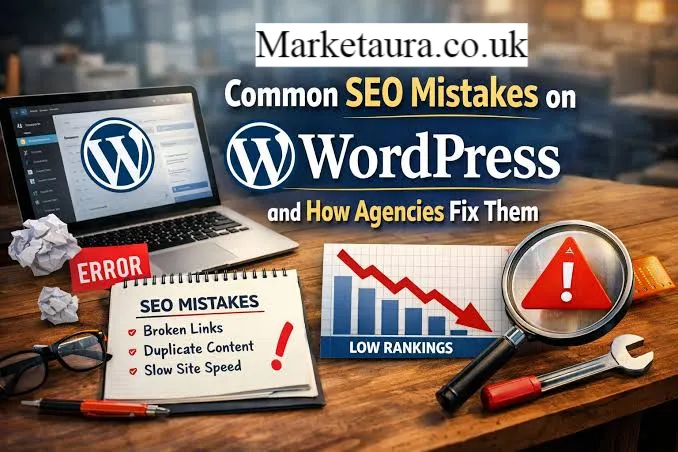
The most common WordPress SEO mistakes include poor URL structures, slow pages, weak internal linking, duplicate content, incorrect indexing settings, missing image optimization, and keyword stuffing. Some problems are easy to fix, while others require a deeper look at how search engines crawl and understand your website.
WordPress remains one of the most widely used content management systems on the web. As of August 2026, W3Techs reports that WordPress powers about 40.7 percent of all websites and represents 58.9 percent of websites where the content management system is known.
That popularity makes WordPress SEO important for bloggers, businesses, publishers, and online stores.
In this guide, you will learn which WordPress SEO mistakes matter most, why they hurt your website, and how you can fix them without making SEO unnecessarily complicated.
What are the biggest WordPress SEO mistakes?
The biggest WordPress SEO mistakes usually involve technical settings, poor content organization, weak keyword targeting, slow performance, and indexing problems.
Here are the most important problems to check:
- Ignoring search intent
- Using weak page titles
- Creating unclear URLs
- Publishing thin content
- Stuffing keywords
- Ignoring internal links
- Uploading oversized images
- Using too many plugins
- Blocking important pages from search engines
- Creating duplicate pages
- Forgetting mobile usability
- Ignoring Core Web Vitals
- Failing to update outdated content
Google recommends creating helpful, reliable, people first content instead of focusing only on search engine manipulation.
1. Are you ignoring search intent?
One of the most damaging WordPress SEO mistakes is writing content without understanding what the searcher actually wants.
Imagine someone searches for “best WordPress hosting.” They probably want recommendations, comparisons, pricing information, and important features.
If your page only explains what hosting means, it may not satisfy the search intent.
Before writing, ask:
- What question does the searcher want answered?
- Are they looking for information, products, services, or instructions?
- What format would make the answer easiest to understand?
- Can you provide something more useful than competing pages?
Search intent should guide your title, headings, examples, and content structure.
2. Are your titles weak or unclear?
Your title is one of the first things users see in search results.
A weak title can reduce clicks even when your page ranks well.
For example:
Weak: WordPress SEO
Better: WordPress SEO Mistakes That Can Hurt Your Rankings
Your title should tell readers exactly what they will learn.
Google explains that title links can come from the title element and other headings on the page. This means your visible page structure also matters.
What makes a strong SEO title?
A useful title should:
- Clearly describe the page
- Match search intent
- Include the main topic naturally
- Give readers a reason to click
- Avoid unnecessary repetition
Do not force your keyword into every title. Clarity should come first.
3. Are your WordPress URLs difficult to understand?
Poor URLs are another common problem.
A URL such as:
example.com/?p=457
tells users very little about the page.
A cleaner URL such as:
example.com/wordpress-seo-mistakes
makes the topic immediately understandable.
WordPress documentation recommends readable permalink structures because they make URLs easier for people and search engines to understand.
Choose a simple permalink structure when you build your website. Avoid changing established URLs without a good reason because unnecessary URL changes can create broken links and redirect problems.
4. Are you publishing thin or unhelpful content?
Publishing more articles does not automatically produce more traffic.
One of the most serious WordPress SEO mistakes is creating dozens of short pages that provide little original value.
Instead of asking, “How many articles can I publish this month?” ask:
“How useful is each article to the person searching?”
A strong article should answer the main question quickly and then provide useful supporting information.
You can improve weak content by adding:
- Original examples
- Expert observations
- Relevant statistics
- Practical steps
- Comparisons
- Updated information
- Frequently asked questions
- Clear explanations
Your goal should be to make the page genuinely useful, not simply longer.
5. Are you stuffing keywords into your content?
Keyword stuffing happens when you repeat a keyword unnaturally to manipulate rankings.
For example:
“WordPress SEO mistakes are common. These WordPress SEO mistakes can hurt WordPress SEO. Avoid WordPress SEO mistakes with WordPress SEO.”
Nobody wants to read that.
Instead, use natural variations such as:
- WordPress SEO problems
- SEO errors in WordPress
- Common WordPress optimization issues
- WordPress search optimization
- Technical SEO problems
Google recommends using words that people would naturally use when searching and placing relevant terms in useful locations such as titles, headings, image descriptions, and link text.
The best keyword strategy feels natural to the reader.
6. Are you ignoring internal links?
Internal links help users discover related content and help search engines understand the relationship between pages.
Suppose you publish an article about WordPress speed optimization. You can connect it naturally to articles about image compression, caching, hosting, and Core Web Vitals.
Create links based on relevance rather than quantity.
A useful internal linking system can help you:
- Connect related topics
- Guide visitors to deeper content
- Support important pages
- Improve website navigation
- Help crawlers discover content
Avoid adding internal links simply for the sake of adding them. Every link should help the reader.
7. Are your images slowing down your website?
Large images can make pages slower, especially on mobile devices.
This is a common issue because WordPress makes it easy to upload high resolution images without considering their actual display size.
Before uploading an image:
- Resize it appropriately.
- Compress it.
- Choose a suitable modern format.
- Give it a descriptive filename.
- Add useful alternative text when appropriate.
Google recommends paying attention to page experience and Core Web Vitals. The current Core Web Vitals include LCP, INP, and CLS. Google recommends an LCP of 2.5 seconds or less, an INP below 200 milliseconds, and a CLS below 0.1 for a good experience.
Do not chase a perfect technical score just because a tool shows a number. Focus on creating a genuinely fast and usable website.
8. Are you using too many plugins?
Plugins can add valuable features, but installing unnecessary plugins can create maintenance, performance, compatibility, and security problems.
You do not need five different plugins performing similar SEO tasks.
A simple setup is usually easier to manage.
Review your plugins regularly and ask:
- Do I still need this plugin?
- Does another plugin already provide this feature?
- Is it actively maintained?
- Does it affect website performance?
- Does it create unnecessary scripts or files?
A smaller, carefully managed plugin collection can make your WordPress website easier to maintain.
9. Did you accidentally block your pages from Google?
This is one of the most frustrating WordPress SEO mistakes because your content can be excellent and still receive no organic visibility.
Check your WordPress search engine visibility settings.
Also check whether important pages accidentally use a noindex directive.
Google explains that a noindex instruction tells supported search engines not to include a page in their search results. However, crawlers must be able to access the page to see that instruction.
You should also understand the difference between robots.txt and noindex.
Robots.txt mainly controls crawling access. It should not be treated as a reliable method for keeping a page out of search results.
10. Are you creating duplicate content?
WordPress can create multiple archive pages, category pages, tag pages, and similar URLs.
Duplicate or highly similar pages can make it harder for search engines to understand which version should appear in results.
Google uses canonicalization to select a representative URL when similar pages exist. Redirects and canonical signals can help communicate your preferred version.
Review your:
- Category archives
- Tag archives
- Pagination
- Product variations
- Similar articles
- URL parameters
- HTTP and HTTPS versions
Do not panic about every duplicate phrase. Some duplication is normal. The real goal is to create a clear website structure.
11. Are you forgetting your XML sitemap?
An XML sitemap helps search engines discover important URLs.
Modern WordPress installations can provide sitemap functionality, and Google notes that many content management systems automatically generate sitemaps.
However, a sitemap is not a guarantee of rankings or indexing.
Think of it as a useful discovery signal.
Your sitemap should primarily contain the URLs you want search engines to discover and consider for search results.
12. Are you ignoring mobile users?
Your website may look excellent on a desktop computer and still provide a poor experience on a phone.
That is a serious SEO problem because many searches happen on mobile devices.
Check your website on an actual phone.
Look at:
- Font size
- Button spacing
- Navigation
- Image size
- Popups
- Tables
- Page speed
- Content width
Google’s page experience guidance emphasizes mobile usability, secure pages, good Core Web Vitals, and avoiding intrusive elements that interfere with the main content.
WordPress SEO mistakes and their solutions
| SEO Mistake | Why It Hurts | Simple Fix |
|---|---|---|
| Weak titles | Fewer clicks | Write clear, specific titles |
| Poor URLs | Confusing structure | Use readable permalinks |
| Thin content | Low usefulness | Add depth and original value |
| Keyword stuffing | Poor readability | Use natural keyword variations |
| No internal links | Weak content discovery | Link related pages |
| Large images | Slow loading | Resize and compress images |
| Too many plugins | More maintenance | Remove unnecessary plugins |
| Accidental noindex | Pages may disappear from search | Check indexing settings |
| Duplicate URLs | Confusing canonical signals | Consolidate similar pages |
| Slow mobile pages | Poor user experience | Improve performance |
| Outdated content | Declining relevance | Review and update important pages |
What should you check first?
You do not need to fix everything at once.
Start with the problems that can have the biggest effect.
Quick WordPress SEO audit
- Check whether important pages can be indexed.
- Review your main page titles.
- Check your permalink structure.
- Test your website on mobile.
- Review your Core Web Vitals.
- Compress oversized images.
- Improve internal linking.
- Remove unnecessary plugins.
- Check duplicate or outdated pages.
- Review your sitemap.
- Update old content.
- Monitor your performance in Google Search Console.
This simple process can reveal many WordPress SEO mistakes without requiring complicated tools.
What has changed in WordPress SEO in 2026?
SEO has become less about manipulating individual ranking factors and more about building useful websites.
Google continues to emphasize helpful content, crawling, indexing, page experience, and clear website structures. Its current documentation also highlights Core Web Vitals, with INP now serving as the responsiveness metric rather than the former FID metric.
WordPress itself remains a major part of the web. W3Techs reported that WordPress accounted for 40.7 percent of all websites in late August 2026.
That means competition remains strong.
The practical lesson is simple. Do not build your website around tricks. Build it around people, useful information, clear navigation, strong technical foundations, and regular improvement.
Frequently Asked Questions
What are the most common WordPress SEO mistakes?
The most common problems include poor titles, weak URLs, thin content, keyword stuffing, slow pages, missing internal links, duplicate content, incorrect indexing settings, and poor mobile usability.
Does WordPress automatically handle SEO?
WordPress provides several useful SEO features, but it does not automatically complete your entire SEO strategy. You still need to manage content, titles, links, indexing, performance, images, and website structure.
Can too many plugins hurt WordPress SEO?
Yes. Plugins can add unnecessary scripts, increase maintenance requirements, create compatibility problems, and sometimes affect performance. Use only plugins that provide genuine value.
Is keyword stuffing bad for WordPress SEO?
Yes. Keyword stuffing makes content difficult to read and can create a poor user experience. Use your main keyword naturally and include related terms where they genuinely fit.
Does website speed affect WordPress SEO?
Website speed and page experience matter. Google recommends good Core Web Vitals, including LCP within 2.5 seconds, INP below 200 milliseconds, and CLS below 0.1 for a good user experience.
Should every WordPress page be indexed?
No. Some pages may not need to appear in search results. However, important pages that generate organic traffic should be accessible and indexable unless you have a specific reason to exclude them.
How often should you update WordPress content?
There is no universal schedule. Review important pages when information changes, when rankings decline, when search intent changes, or when competitors provide substantially better information.
Is an XML sitemap enough for SEO?
No. A sitemap helps search engines discover URLs, but it does not guarantee indexing or rankings. Your content, website structure, technical accessibility, and overall user experience still matter.
Conclusion
The biggest WordPress SEO mistakes are often surprisingly simple. You may not need a complicated SEO strategy to improve your website. You need a clean structure, useful content, strong titles, readable URLs, sensible internal links, optimized images, good mobile performance, and correct indexing settings.
Start with the basics.
Check your important pages first. Then review speed, content quality, internal links, duplicate URLs, and outdated information. Once those areas are healthy, you can move toward more advanced SEO work.
The best approach to WordPress SEO mistakes is not to chase every new SEO trick. Build a website that is easy for people to use and easy for search engines to understand.
About the Author: Johan Harwen The author is an SEO content specialist focused on search friendly content, WordPress optimization, and practical digital marketing strategies. Their work combines clear explanations, current search guidance, and reader focused writing to help website owners improve organic visibility.
Email: johanharwen@314gmail.com
Author Name: Johan Harwen