Introduction
Getting your WordPress website onto the first page of Google can feel harder than publishing the content itself. You may write useful articles, choose relevant keywords, and still struggle to attract organic traffic. The problem is often not WordPress itself. It is the strategy behind your SEO.
A strong WordPress SEO strategy combines keyword research, helpful content, technical optimization, internal linking, performance improvements, and regular measurement. You also need to make your pages easy for both search engines and real people to understand.
In this guide, you will learn how to build a practical SEO system for WordPress. You will discover which areas deserve the most attention, how to optimize individual pages, which tools can help, and what common mistakes can hold your site back.
The goal is simple: create a website that provides clear value to visitors while giving search engines strong signals about your content.
What Is a WordPress SEO Strategy?
A WordPress SEO strategy is a structured plan for improving your website’s visibility in organic search results.
It covers several areas, including:
- Keyword research
- Search intent
- Content creation
- On page SEO
- Technical SEO
- Internal linking
- Website speed
- Mobile usability
- Image optimization
- Structured data
- Local SEO when relevant
- Performance tracking
Think of SEO as a system rather than a single setting inside WordPress. Installing an SEO plugin does not automatically optimize your website. You still need useful content, logical site architecture, good technical foundations, and consistent improvement.
Why Is SEO Important for WordPress Websites?
WordPress gives you a flexible foundation for publishing content, but search visibility still depends on how you build and optimize your website.
Organic search can bring visitors who are actively looking for information, products, services, or solutions. Unlike traffic from many paid campaigns, organic visibility can continue generating visits after you publish and optimize a page.
A good strategy can help you: marketaura
- Increase relevant organic traffic
- Improve visibility for important keywords
- Build topical authority
- Generate leads and sales
- Improve user experience
- Make your content easier to discover
- Create sustainable search visibility
How Do You Create a WordPress SEO Strategy?
The easiest approach is to build your strategy in stages.
1. Define Your SEO Goals
Start by deciding what you want search traffic to accomplish.
Your goal could be:
- More product sales
- More service inquiries
- More newsletter subscribers
- More local customers
- More informational traffic
- More brand visibility
Your goal determines the keywords, content types, and conversion pages you should prioritize.
2. Research Keywords and Search Intent
Keyword research helps you understand what your audience searches for.
Do not focus only on search volume. A keyword with fewer searches can deliver better results if it closely matches your audience and business.
Look for:
- Primary keywords
- Related keywords
- Long tail keywords
- Question keywords
- Commercial keywords
- Informational keywords
- Local search terms
More importantly, identify search intent.
For example, someone searching for “best WordPress SEO plugins” probably wants comparisons and recommendations. Someone searching for “how to add an SEO title in WordPress” needs a practical tutorial.
Match your content to what the searcher actually wants.
WordPress On Page SEO Checklist
On page SEO helps search engines understand what each page covers.
Optimize Your SEO Title
Your title should clearly describe the page and encourage clicks.
Place the primary keyword naturally near the beginning when it makes sense. Keep the title specific rather than filling it with multiple keywords.
Write a Useful Meta Description
A meta description should summarize the page and give users a reason to click.
Although Google may generate its own snippet, a well written description can improve how your page communicates its value in search results.
Use Clear Headings
Organize content with logical headings.
Your main page topic should have one clear H1. Use H2 and H3 headings to organize supporting sections.
For example:
H2: WordPress On Page SEO
H2: Technical SEO for WordPress
H3: Improve WordPress Website Speed
This structure makes long articles easier to scan.
Optimize URLs
Keep URLs short and descriptive.
A clean URL such as:
example.com/wordpress-seo-strategy
is easier to understand than a URL containing unnecessary numbers, parameters, or unrelated words.
Improve Internal Linking
Internal links connect related pages on your website.
Source: Cloudways
They help visitors discover more useful content and help search engines understand relationships between pages.
For example, an article about WordPress SEO can naturally connect to content about:
- Keyword research
- Technical SEO
- Internal linking
- Image SEO
- Local SEO
- WordPress speed optimization
Technical SEO for WordPress
Technical SEO ensures search engines can efficiently crawl, understand, and index your website.
Check Indexing
Make sure important pages can be indexed.
Review your robots directives, XML sitemap, canonical settings, and noindex instructions. Accidentally blocking an important page can prevent it from appearing in search results.
Use an XML Sitemap
An XML sitemap gives search engines a structured list of URLs that you want them to discover.
Most established WordPress SEO plugins can generate and manage sitemaps automatically.
Use HTTPS
Your website should use HTTPS. It protects data exchanged between the visitor and your website and provides a more trustworthy browsing experience.
Fix Broken Links
Broken links create poor user experiences and can make website maintenance more difficult.
Review important internal links regularly. Update or redirect outdated URLs when necessary.
How Can You Improve WordPress Website Speed?
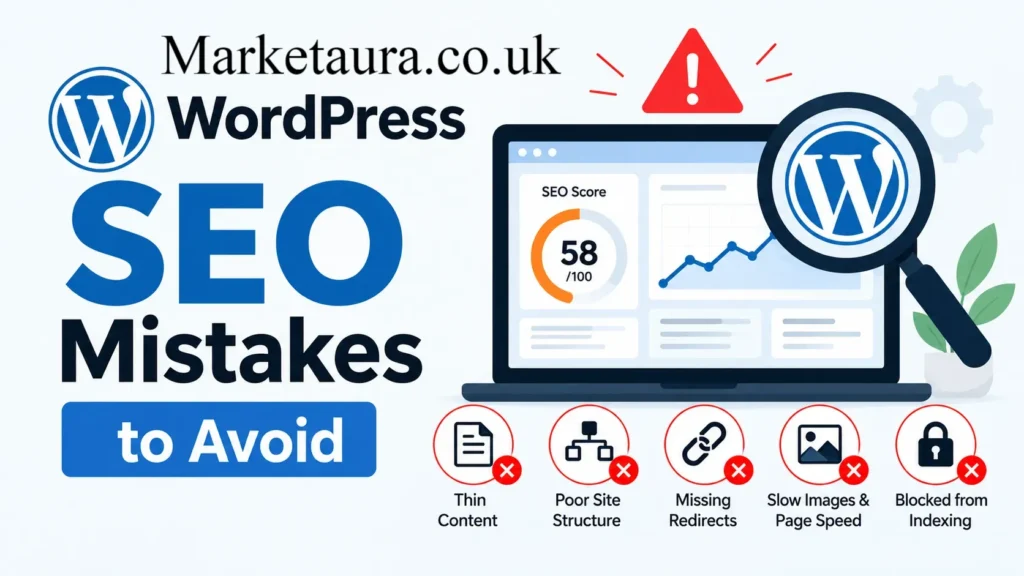
Website performance matters because visitors expect pages to load quickly and work smoothly.
Start with the basics:
- Compress large images.
- Use modern image formats where appropriate.
- Remove unnecessary plugins.
- Use reliable hosting.
- Enable suitable caching.
- Minimize unnecessary scripts.
- Keep WordPress and plugins updated.
- Test important pages on mobile devices.
Google’s Core Web Vitals provide useful measurements for loading performance, responsiveness, and visual stability.
Source: Elementor
Do not optimize speed only for a score. Your real objective is a fast and usable website.
Content Strategy for WordPress SEO
Content remains one of the most important parts of a successful SEO strategy.
Instead of publishing dozens of unrelated articles, build topic clusters.
For example, a website focused on WordPress SEO could create a central guide and supporting articles about:
| Topic | Supporting Content |
|---|---|
| WordPress SEO | Complete SEO guide |
| Keyword Research | Long tail keyword research |
| Technical SEO | WordPress technical checklist |
| Content SEO | Helpful content strategy |
| Image SEO | WordPress image optimization |
| Local SEO | WordPress local SEO guide |
This approach creates stronger topical relationships across your website.
Write for People First
Your content should answer the reader’s question quickly.
Use:
- Short paragraphs
- Clear explanations
- Lists
- Examples
- Tables
- Descriptive headings
- Direct answers
- Relevant statistics
- Frequently asked questions
Avoid writing pages simply to reach a specific word count. A useful 900 word article can outperform a repetitive 2,000 word article when it satisfies the search intent better.
Which WordPress SEO Tools Should You Use?
Several tools can support different parts of your workflow.
Google Search Console
Use it to monitor search queries, indexing issues, impressions, clicks, and page performance.
Google Analytics
Use analytics data to understand how visitors interact with your website after arriving from search.
Yoast SEO
Yoast SEO provides tools for managing important on page SEO elements and technical settings.
Rank Math
Rank Math offers WordPress SEO features including content analysis, schema support, redirects, and other optimization controls.
Ahrefs and Semrush
These platforms can support keyword research, competitor research, backlink analysis, content research, and SEO monitoring.
The best tool is not necessarily the one with the longest feature list. Choose tools that fit your workflow and help you make better decisions.
Original Research: Where Should You Focus First?
A practical way to prioritize SEO work is to score every important page based on four factors:
| SEO Area | Priority |
|---|---|
| Search intent match | Very High |
| Content quality | Very High |
| Technical accessibility | High |
| Page experience | High |
| Internal linking | Medium |
| Metadata optimization | Medium |
| Minor technical settings | Lower |
This prioritization reflects an important principle: fix problems that can prevent visibility before spending time on minor optimizations.
If an important page does not satisfy search intent, changing a few words in its title will rarely solve the bigger problem.
Common WordPress SEO Mistakes
Even experienced website owners can make avoidable mistakes.
Keyword Stuffing
Repeating the same keyword excessively makes content unnatural.
Use your primary keyword naturally and include related terminology where it genuinely helps the reader.
Publishing Without Search Intent
A page can target the correct keyword and still fail if it does not provide the type of content searchers expect.
Installing Too Many Plugins
More plugins do not automatically mean better SEO. Unnecessary plugins can add maintenance requirements and sometimes affect performance.
Ignoring Old Content
Older pages can lose visibility as competitors publish better information.
Review important content periodically. Update outdated facts, improve sections, add useful internal links, and remove information that no longer helps readers.
Expert SEO Perspective
A useful SEO mindset is to treat every page as a product.
Before publishing, ask:
Does this page solve the searcher’s problem better than the alternatives?
If the answer is no, adding more keywords will not fix the fundamental issue.
Strong SEO combines relevance, usefulness, accessibility, trust, and a positive user experience. Your optimization should support those goals rather than distract from them.
How Often Should You Update Your WordPress SEO Strategy?
SEO is not a set and forget process.
Review your important pages regularly. A quarterly review works well for many websites, while competitive industries may need more frequent monitoring.
During each review, check:
- Organic traffic
- Search impressions
- Click through rate
- Keyword performance
- Indexing
- Internal links
- Broken links
- Content freshness
- Page experience
- Conversion performance
Use the data to decide what deserves attention next.
Conclusion
A successful WordPress SEO strategy does not depend on one plugin, one keyword, or one technical trick. It comes from combining useful content with strong technical foundations and a clear understanding of search intent.
Start with your goals and keyword research. Then improve your content, titles, URLs, internal links, technical SEO, speed, and mobile experience. Track the results and continue improving your strongest opportunities.
The biggest mistake is trying to optimize everything at once. Start with the pages that matter most to your business and make them genuinely useful.
Which part of your WordPress SEO strategy needs the most improvement right now: content, technical SEO, keywords, or website performance?
FAQs
What is a WordPress SEO strategy?
A WordPress SEO strategy is a structured plan for improving a WordPress website’s visibility in organic search through content, keywords, technical SEO, links, performance, and user experience.
Is WordPress good for SEO?
Yes. WordPress provides a flexible foundation for SEO. However, rankings still depend on content quality, technical accessibility, search intent, competition, authority, and overall website experience.
What is the most important WordPress SEO factor?
Search intent and useful content should receive major attention. Your page should clearly satisfy the reason someone searched for the topic.
Do I need an SEO plugin for WordPress?
An SEO plugin can simplify many optimization tasks, but it cannot replace good content, keyword research, technical maintenance, and strategic planning.
How many keywords should I use on one WordPress page?
Focus on one main topic rather than a fixed keyword count. Include related terms naturally when they improve clarity and coverage.
How can I make my WordPress website rank higher?
Improve search intent alignment, content quality, technical SEO, internal linking, page experience, and authority. Then monitor performance and update important pages.
Does website speed affect WordPress SEO?
Website performance can affect user experience and is part of Google’s page experience considerations. Improving speed can also make your site more pleasant to use.
How often should I update SEO content?
Review important content regularly. Update pages whenever facts, search intent, competitors, products, or industry information changes.
What is the best SEO plugin for WordPress?
Yoast SEO and Rank Math are popular options. The best choice depends on the features, workflow, and level of control you need.
Can a new WordPress website rank on Google?
Yes. New websites can rank, but competitive topics may require considerable time, high quality content, strong site architecture, and authority building.
Author Bio: Johan Harwen SEO Content Specialist The author writes practical SEO content focused on search visibility, content strategy, WordPress optimization, and user friendly digital marketing. The goal is to make complex SEO concepts simple, actionable, and easy to apply.
Email: johanharwen@314gmail.com
Author Name: Johan Harwen